Catermat Cars
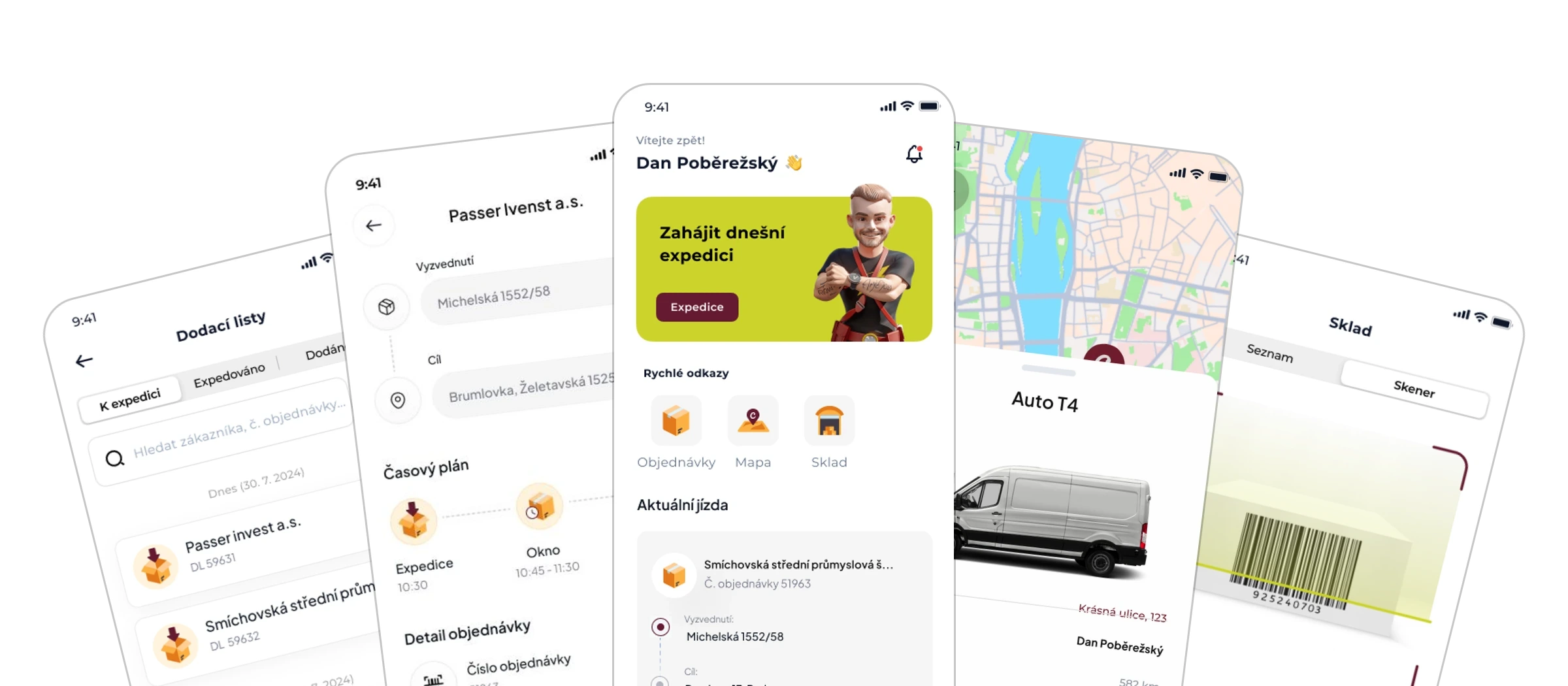
A delivery app for catering. Delivery notes without paper, signed with a finger.

- Industry
- Gastronomy and catering
- Scope
- Design, iOS + Android app, backend
- Timeline
- 2024 to 2025
- Stack
- Capacitor, Vue 3, Symfony
The brief
Office catering means dozens of deliveries across Prague every morning, and a paper delivery note with each of them. Paper gets printed, lost and retyped, dispatch phones the drivers to ask where they are, and confirmed handovers return to the system days later.
We had already built the website for Catermat; now it was the deliveries’ turn. The brief: connect the vans to the Ordermat company system, so orders land in the drivers’ phones, pass through clear states and the handover is confirmed on the spot.
We built a hybrid app for iOS and Android. Orders flow from the company system into the phone and pass through the states New, To dispatch, Dispatched and Delivered; the production and delivery roles each see their own steps. At handover the customer signs with a finger on the display, and the signature is stored with the delivery note along with the location.
The day starts with one button
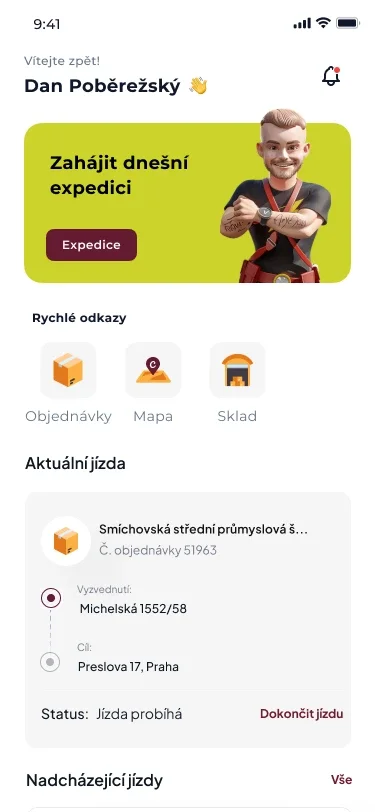
After signing in, the driver sees whether the day’s dispatch can start, quick links to delivery notes, the map and the warehouse, and below them the trip in progress and the ones still ahead.
A delivery note that knows everything
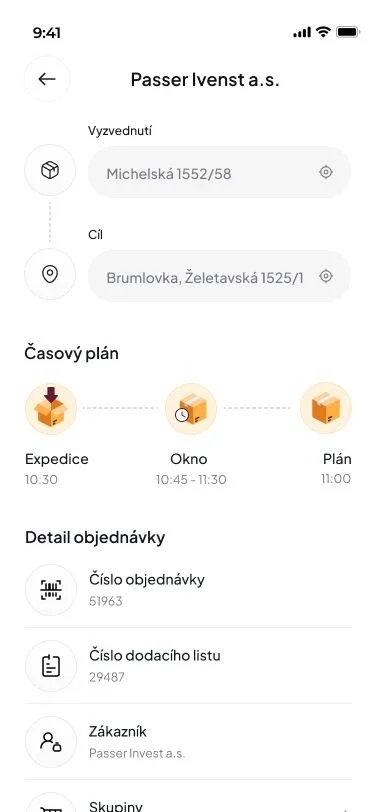
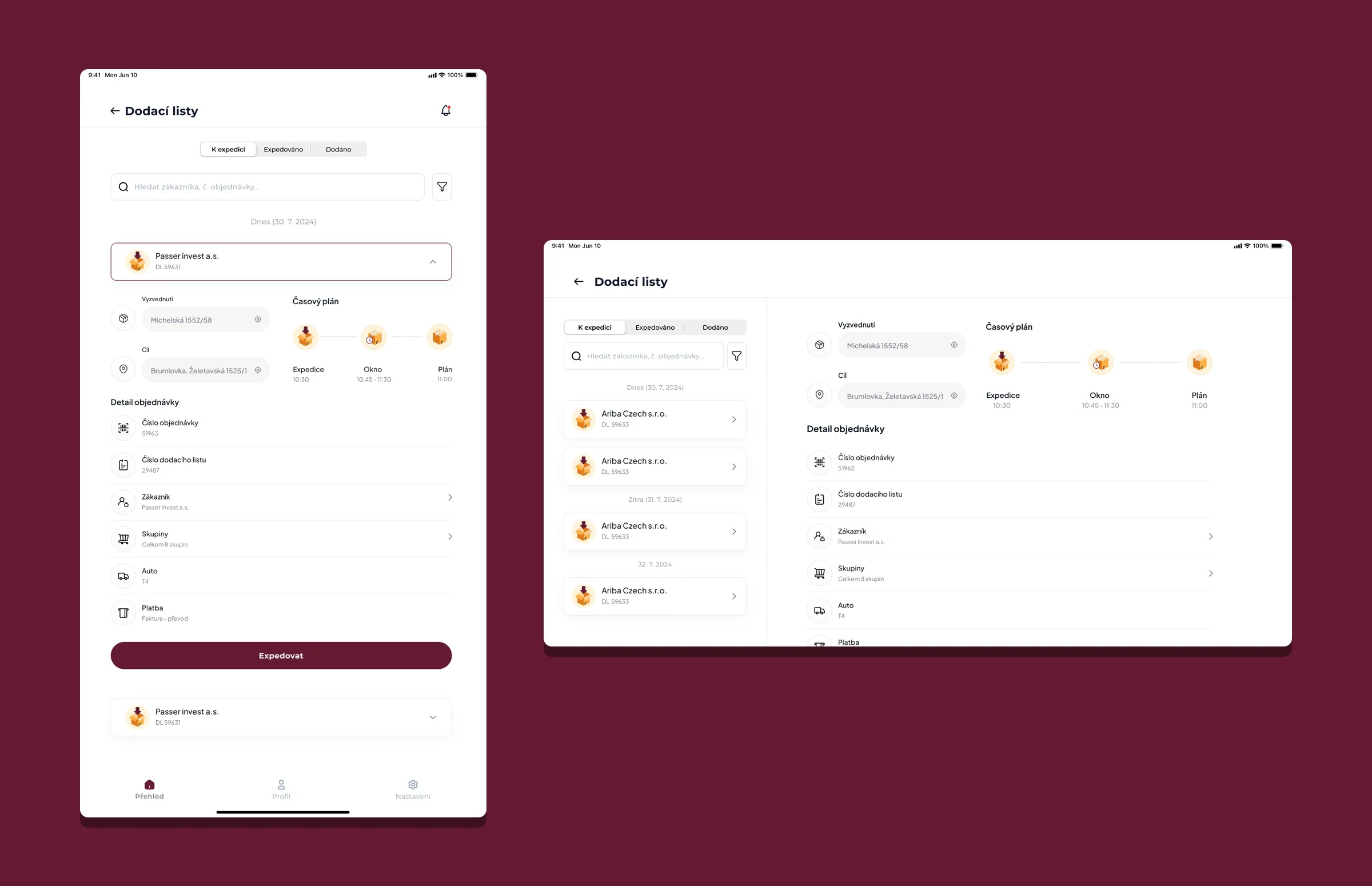
Where it is picked up and where it goes, a schedule from dispatch through the delivery window to the plan, and below it everything about the order: the order and delivery note numbers, the customer, the item groups, the vehicle and the payment.
Signed, and reported at once
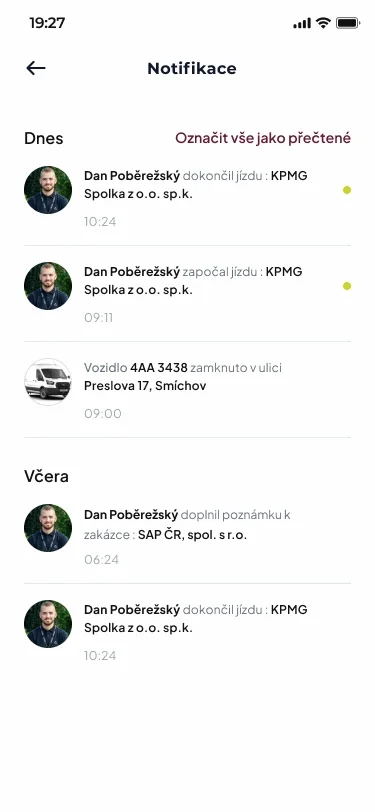
The customer signs the receipt with a finger right on the display, and the signature is stored with the delivery note together with the GPS position of the handover. Dispatch knows at once: the notifications show the finished trip, a note added to the order and even where the driver locked the van.
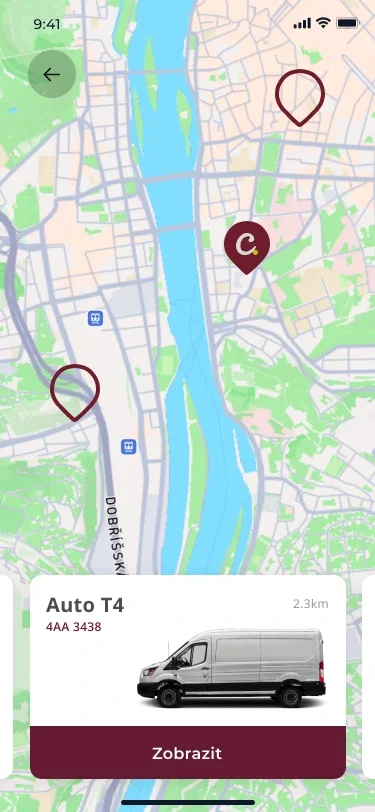
The fleet live on the map
Vans with GPS trackers are drawn on the map in real time. The vehicle card shows the plate and the distance and opens the detail with one tap; the position streams into the app continuously over Mercure, no refreshing.
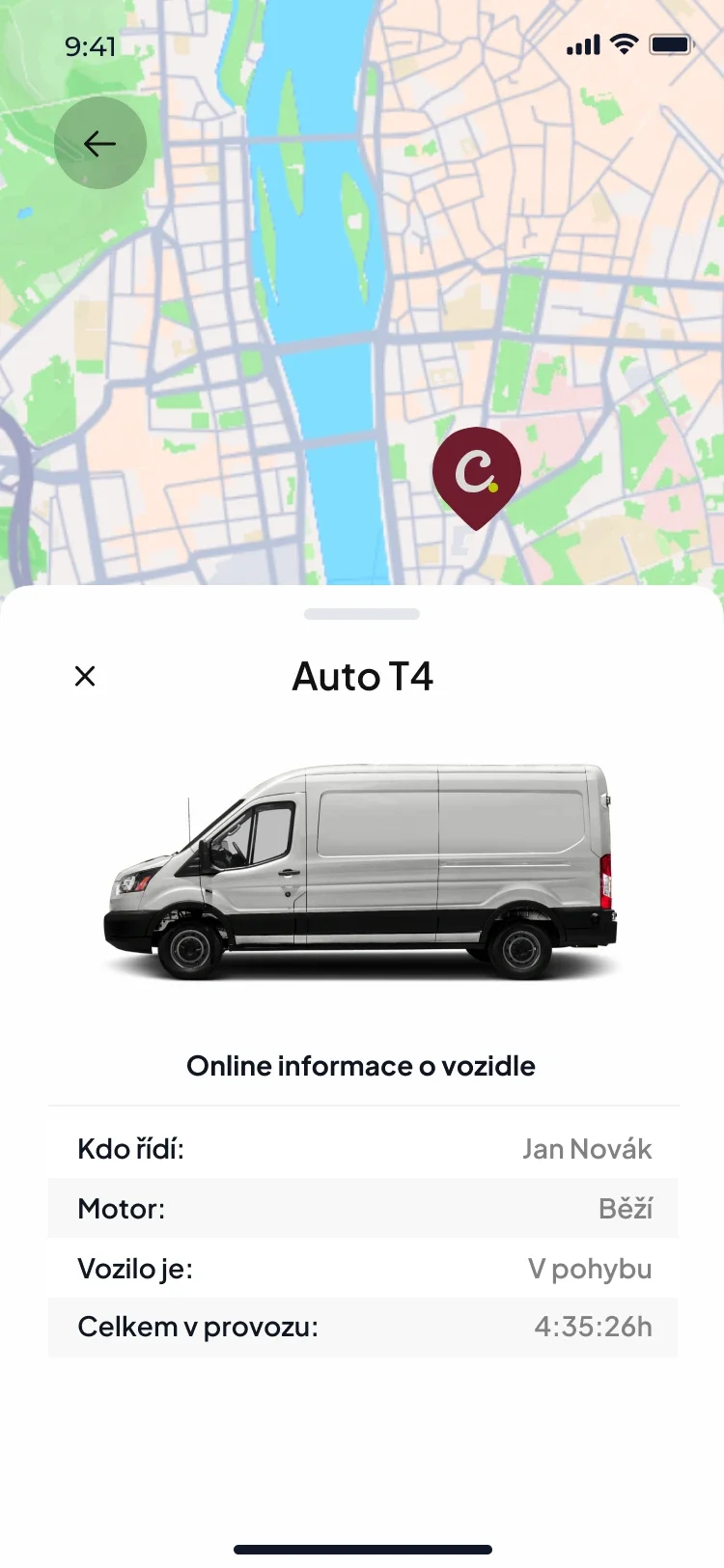
Telemetry for every vehicle
Who is driving, whether the engine is running, whether the van is moving and how long it has been in service, all from REX GPS units. Dispatch plans against the real state of the fleet, not a guess.
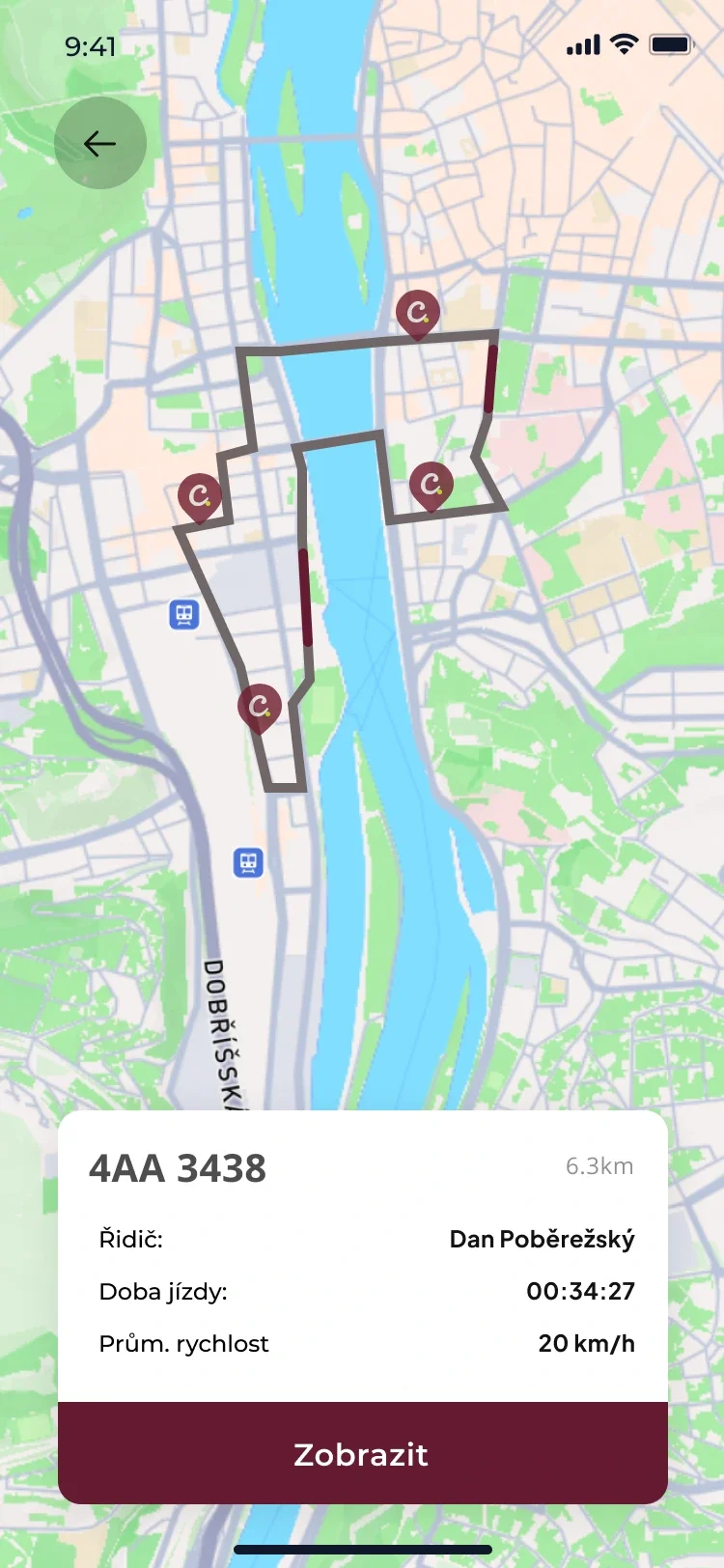
A logbook that writes itself
Every trip records itself: the route on a map, the trip time and the average speed, with filters by vehicle and branch. The logbook is written by the driving itself, not by retyping at the end of the month.
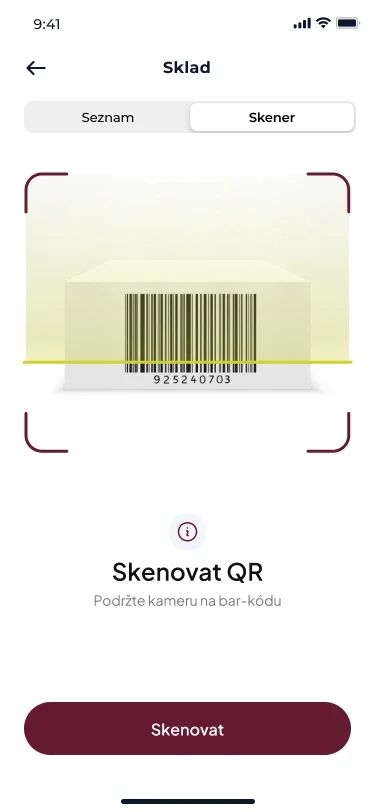
A warehouse with a scanner in the phone
Banquet equipment, from cutlery to stoves, has its own warehouse in the app with item counts. Scan an item’s barcode with the phone camera and it is clear at once which order it belongs to, or it can be released from the order.
Side by side on a tablet
What else the app does
Delivery and dispatch in one app make for a longer list. The most interesting of it, at speed.
-
States like a production line
An order passes through the states New, To dispatch, Dispatched and Delivered. The production and delivery roles each see their own steps, so the kitchen prepares, the driver delivers and nobody steps on anyone’s work.
-
Connected to the company system
Orders flow into the phone from the Ordermat company system the business lives in. Nothing is entered twice: what holds in the system holds in the van, and the confirmed delivery returns back.
-
Items by group
Lunches, banquets, drinks: the items of a delivery are grouped with piece counts, so a large banquet order is checked in tidy blocks, not down the rows of an endless list.
-
The recipient one tap away
Every delivery note carries the recipient’s name and phone. A call starts right from the app, and the SMS goes out with a prefilled message that the order is approaching.
-
Search and filters
Full-text search across customers, order numbers and delivery note numbers, plus filters by vehicle and branch. Even on a day full of deliveries, a specific order turns up in seconds.
-
One codebase, two stores
The app is built on Capacitor with Vue 3 and Framework7, so one codebase serves both iOS and Android. Behind it run Symfony and API Platform on FrankenPHP in Docker, sign-in is secured with JWT, and Mapbox handles the maps and geocoding.
The app in one place
The app design on seven sheets: the driver’s day, the handover, the fleet, the trips, the warehouse and the tablet version. Customers, names and amounts on the screens are sample data.
The whole delivery round in one pocket.
Delivery notes, the fleet and the warehouse in one app for iOS and Android, wired straight into the company system.