Artificial intelligence
that makes sense
Deployed by us, it saves time, and with it money. Genuinely smart AI, built around your work. Once you have tried it, you will not want to work without it.

Try out how it all works
The three layers every assistant on top of company data stands on: knowledge base records, their conversion into numbers and search by meaning. Everything below runs live, give it a try.
What a knowledge database is
Your texts cut into short records: a paragraph of a contract, a ticket, a page of a manual. Each record makes sense on its own, because it is exactly one such chunk that the model gets as the basis for its answer.
There are 60 of them here in 6 groups, just like rows in a database. Add your own term and the model will write a paragraph for it.
What a vector database is
A language model reads a record and returns a long list of numbers, a vector. There is not a single word in it, only a position in a space with 1,536 dimensions. Records with a similar meaning end up close together, however they are worded.
On the left, that space is flattened with PCA into three dimensions that can be drawn; hover over a point to see its record. The database can then do just one thing, but in milliseconds across millions of rows: find the ones nearest to a given vector.
How search works
The question is turned into a vector by the same model and the database returns the nearest records, even if the word you searched for does not appear in them at all. The nearest chunk then goes to the language model as the basis for the answer, together with a link to where it comes from. This approach is called RAG.
So the knowledge base can run to hundreds of thousands of pages and the answers rest on the chunks found, not on the model’s memory. That is exactly how we build assistants on top of your data and the search across the company from the previous section.
We save the terms and questions you submit for 90 days to understand usage and improve the demo. Please avoid personal or sensitive information.
Try having a chat with Marie
Marie is a voice assistant of the kind we build into applications: she understands Czech, answers within a moment and you can interrupt her.

For now, Marie speaks only Czech.
And the best part is having it all together…
Voice, a knowledge base and search by meaning are not three separate tools: together they make an assistant who knows what she is talking about. Call Marie and watch what she reaches for as she answers: the cards below the call switch according to what she is doing at that moment.
For now, Marie speaks only Czech.
Try it right now
Face recognition the way we build it into camera and photo solutions. The model finds a face, traces its features and estimates the expression, age and gender. Turn on your camera or upload a photo of your own and try to fool it.
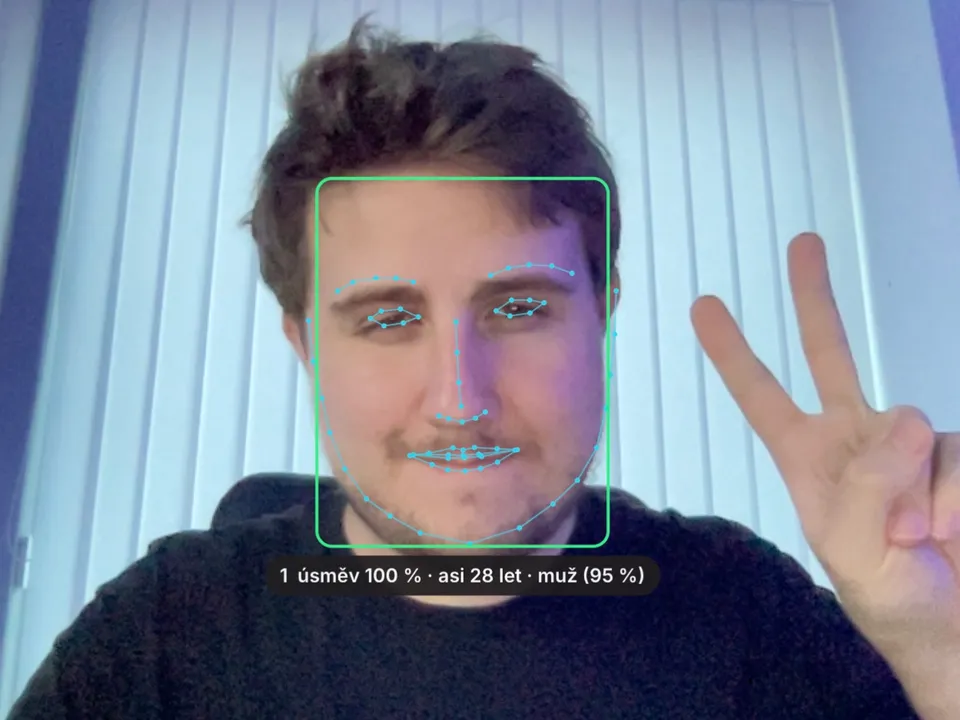
Everything is computed right on your device: neither the camera image nor the photo is sent anywhere, nothing goes to our server. Once the demo has run, you can even switch off the internet and keep trying. The browser already has everything it needs.

Chat
We also do chat that thinks about the task, reaches for tools in your own systems and looks things up online when it needs to. And you see what it is working with at any moment.
-
Reasoning
It thinks a harder task through and writes out its steps before it starts answering.
-
Access to the internet
When the answer is not in your data, it looks it up on the web and says where it got it.
-
Tools
It reaches into your systems: finds a record, works out a number, opens a task.
We do not start from scratch
We have our own platform, Marietta, and within it the chat interface Marie. The tools, the connections to systems and access control have been in place from the start, so nothing gets built again for you.
The Marietta platformWe have rules for it
We have written down where we let AI do the work and where we do not. That includes what we will never entrust to it, and why a human is still accountable for the result.
How we approach AI
What we build with AI
Artificial intelligence solves nothing on its own. It becomes useful once it gets access to your data and a clearly defined job. Here is what that kind of job involves for our customers.
Assistants and chat
- An assistant on top of your data you ask in plain language, it answers from your documents, emails and systems and shows where it got it
- Customer support the first line on the website and in email, harder cases go to a human with the full context
- Internal helpdesk staff questions about IT, HR and operations answered from policies and guides
- Sales assistant replies to enquiries, draft quotes and briefing notes before a meeting
- Marie the chat interface of our Marietta platform, deployed without building from scratch
Documents and mail
- Contracts dates, deadlines, obligations and risks pulled into an overview
- Sorting mail and Czech data boxes filed automatically and assigned to the person responsible
- OCR and handwriting scans, phone photos and filled-in forms turned into data
- Comparing versions what changed between two versions of a contract or a quote
- Summaries of long documents minutes, reports and documentation on a single page
Invoices and accounting
- Extracting invoices and orders the data straight into the accounting or ERP, uncertain items set aside for a human to check
- Checking an invoice against the order prices, quantities and the supplier must match, otherwise it speaks up
- Matching payments incoming payments to invoices, even with a typo in the payment reference
- Receivables and reminders a draft reminder based on the customer’s history, a human sends it
- Paperwork for the accountant documents sorted, labelled and ready to be booked
Knowledge and search
- Search across the company one box instead of five logins, it finds even what is named differently from what you remember
- Company knowledge base answers from policies, manuals and the wiki, with a link to where they come from
- Semantic search in the archive searches by meaning, not by the exact word
- Tagging and categorisation documents, tickets and emails that sort themselves
- Overviews from scattered data one answer from what sits in five systems
Agents and automation
- An agent that acts creates a task, sends an email, writes to a system; only where it has permission, and with an audit trail
- A request from start to finish from the incoming email through verification to the entry in the system
- Groundwork for approval AI prepares the background and a proposal, a human decides
- Monitoring and alerts inboxes, websites, prices and deadlines under watch, it speaks up when something changes
- Recurring tasks reports, checks and routines without a human hand
Connecting to systems
- ERP and accounting reading and writing through an API or file exchange
- CRM and helpdesk contacts, deals and tickets in one context
- Email, calendar and chat Microsoft 365, Google Workspace, Teams, Slack and Mattermost
- Shared storage and documents SharePoint, Google Drive, Seafile and network drives
- Databases and custom APIs SQL, data warehouses, and when a system has no interface, we build one
Writing and communication
- Draft email replies in your company’s tone, a human sends them
- Translations with a company glossary terminology stays consistent across documents and languages
- Meeting minutes transcript, summary, tasks and deadlines straight into the system
- Overview for management a weekly summary from reports, tickets and figures
- Checking texts spelling, terminology and compliance with policies before sending
Website and e-shop
- A catalogue adviser helps choose from your range and knows what is in stock
- Search that understands “something for running in the rain” finds it even without the exact product name
- Product recommendations based on behaviour and history, not on one fixed rule
- Product copy and descriptions descriptions, variants, alt texts and language versions from the specifications
- Personalised newsletters segments and copy based on what interests whom
Image, sound and video
- Image recognition quality control, counting items, reading labels and gauges
- Audio transcription calls, meetings and voice messages as searchable text
- Voice control and dictation entering data by voice when your hands are busy
- Events in camera footage finds what happened without hours of playback
- Searching images and video by what is in them, not by the file name
Analysis and decisions
- Asking your data in plain language “how much did we sell in Brno in May” over your database
- Forecasting demand, stock and customer churn from your history
- Anomaly detection suspicious transactions, swings and errors in the data
- Scoring and prioritisation leads, tickets and receivables ranked by what is most urgent
- Feedback analysis reviews, surveys and complaints sorted by topic and sentiment
Security and governance
- Permissions AI sees only what the given user is allowed to see
- Audit trail every step of the agent traceable: what, when, on whose instruction
- Data in the EU or on your premises we choose where the model runs according to how sensitive the data is
- Protecting sensitive data anonymisation before anything is sent to the model
- Defence against injected instructions input filters and restricted tools, so the agent cannot be manipulated
Rollout and people
- A prototype in days testing the idea on your data before anyone invests in it
- RAG and model fine-tuning data preparation and evaluation, so the answers fit your domain
- Measuring quality test sets and evaluation of answers before deployment and after it
- Training and rules for the team how to work with AI, where to trust it and what staff may use
- Operation and development we watch what AI does, what it costs and where it makes mistakes, and keep teaching it from live use
Selected work
Full portfolio-
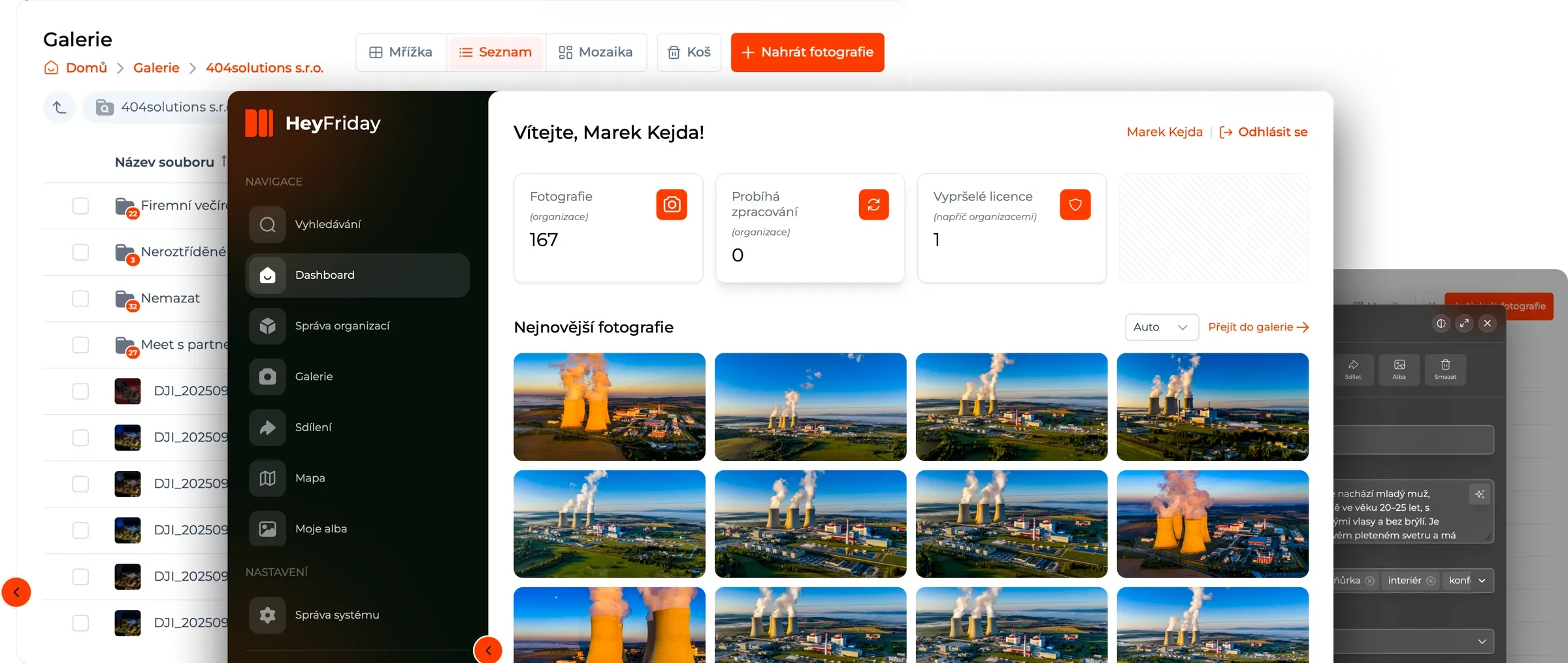
HeyFriday
gen live production s.r.o.
-
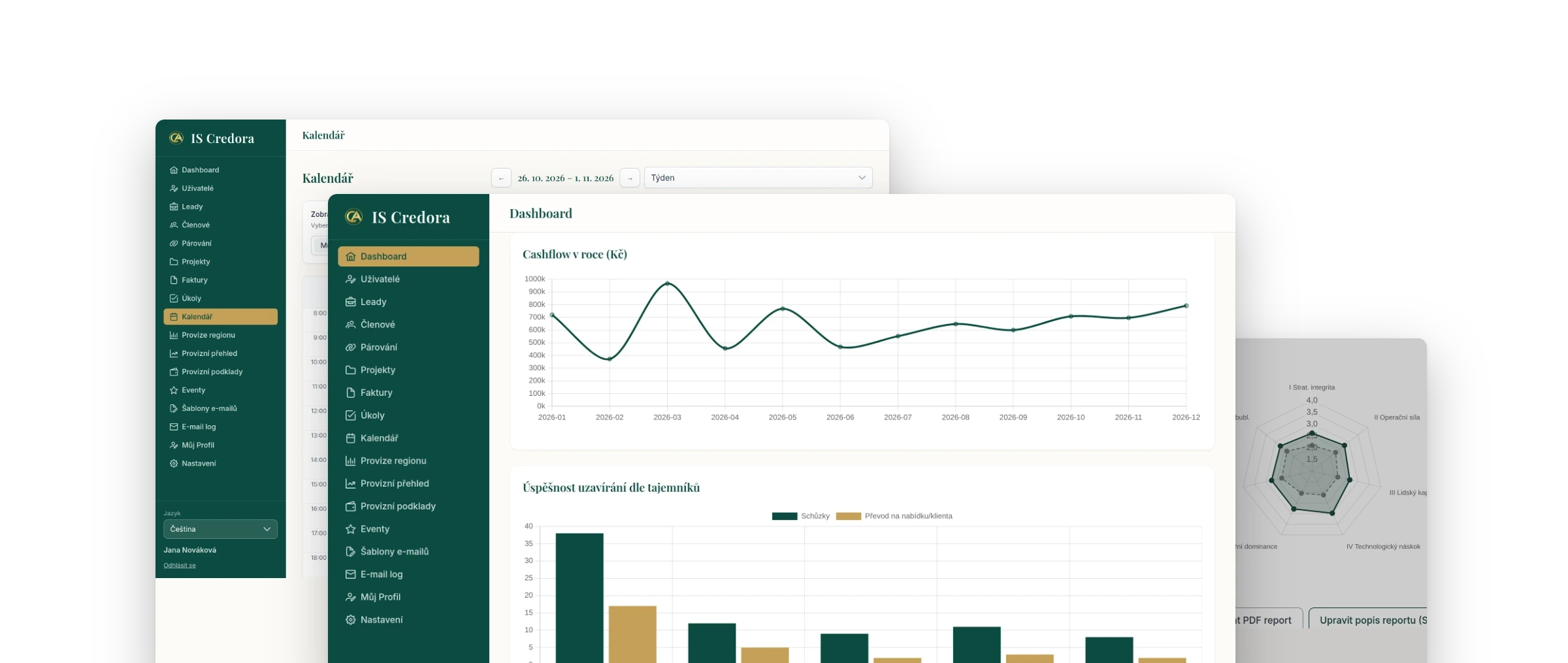
IS Credora
Credentia Aurora
-
Suplovani.cz
200systems s.r.o.

How much time
can we save you?
You do not need a finished brief. A problem that is bothering you is enough and we will tell you what we think about it.
Not a fan of forms? info@200.solutions +420 735 849 293